Running a Desktop App via Chrome
A common issue when running desktop applications in a browser tab is that certain shortcut keys (such as Ctrl+W or Ctrl+F4) are often intercepted by the browser rather than the application.
To resolve this, you can create a dedicated application window using Chrome (or Chromium) browsers.
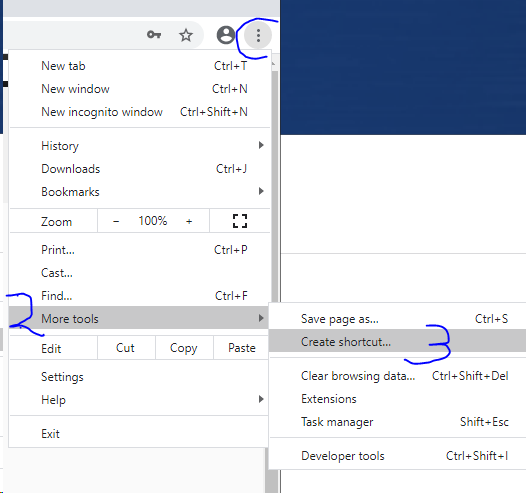
1. Navigate to More Tools and select Create shortcut on your computer desktop.
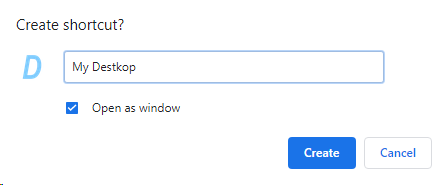
2. Ensure that "Open as window" is selected when generating the shortcut.
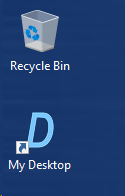
3. Launch your application by double-clicking the new shortcut on your Desktop.
4. Now you can use your application with full support for keyboard shortcuts.