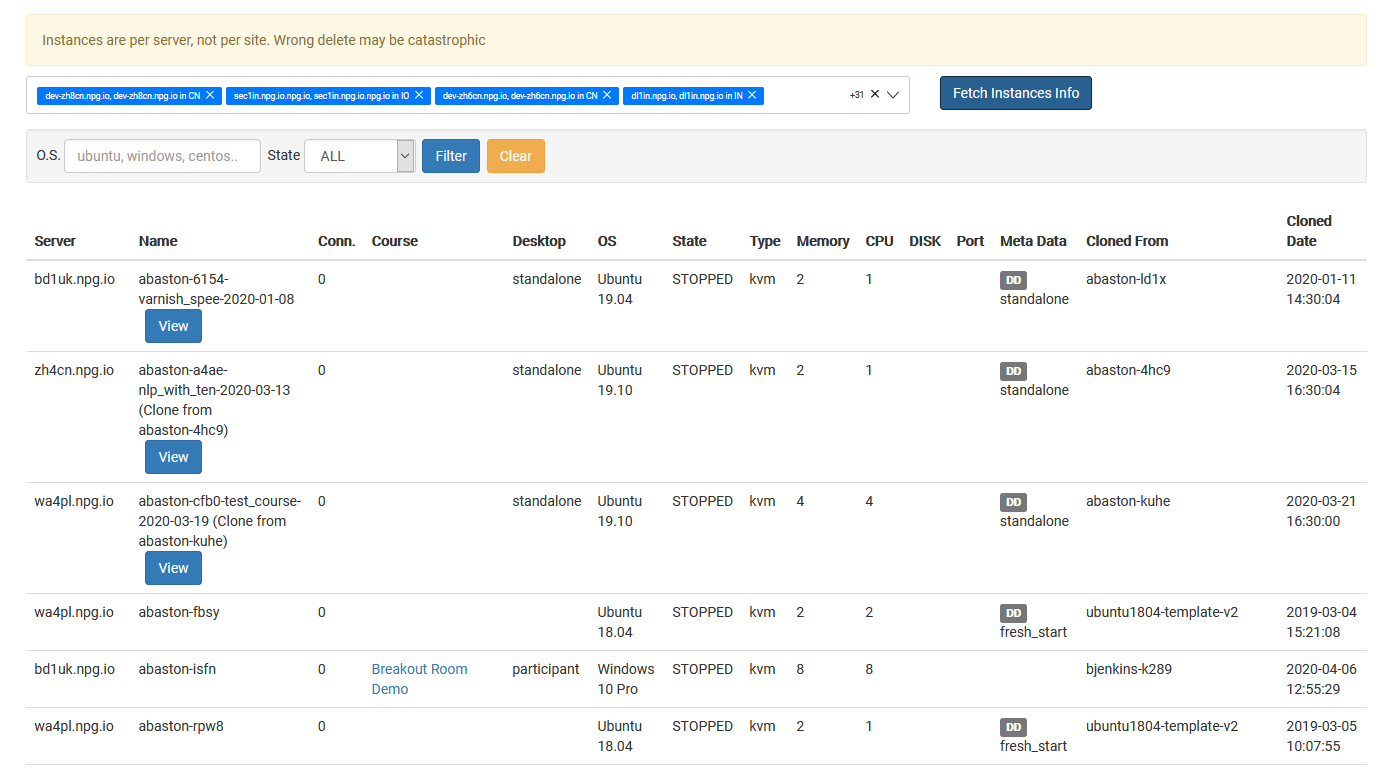
Overseeing Platform-Wide Desktop Instances
The Overseeing Platform-Wide Desktop Instances interface empowers Super Administrators with a centralized hub to monitor and control every desktop instance within the ecosystem. By offering a holistic view that transcends individual organizations, courses, or server locations, this feature simplifies system usage monitoring and streamlines essential administrative duties.
Core Capabilities
- Access a consolidated list of all desktop instances from a single dashboard.
- Leverage search and filtering tools to rapidly locate specific machines.
- Review real-time status updates and detailed information for each instance.
- Execute necessary administrative actions on targeted desktop instances as needed.
- Supervise desktop resources spanning multiple organizations, servers, and data centres from a unified location.
Access Control
This capability is exclusively reserved for Super Administrators. It is designed for users who require oversight and management authority over desktop instances across the entire DaDesktop platform, extending beyond the scope of any single organization or course.