Managing Coefficient Over-Commitment
This functionality is exclusively available within DaDesktop Private Server (DDPS) and DaDesktop On-Premise (DDOP) environments.
As course complexity and processing demands grow—particularly when dealing with nested virtualisation or serving a larger number of trainee desktops—it is possible to occasionally encounter an error like the one shown below:

This warning typically pertains to CPU, memory, or disk space constraints. The immediate recommended action is to attempt relocating your machine(s) to a less burdened server or data centre, or to lower resource requirements if feasible.
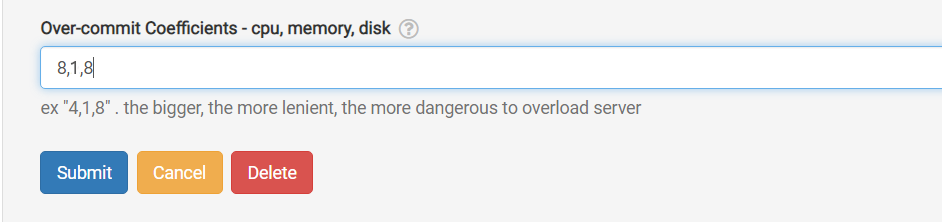
Should neither of these options be viable, a quick and effective remedy when the active units only slightly exceed the standard maximum limit is to temporarily apply 'over-committing' to one or more of the CPU, memory, or disk coefficients. This can be configured via the GUI as illustrated below.
Navigate to /da/admin/servers/all, select the Edit button for your server, and scroll to the relevant section.
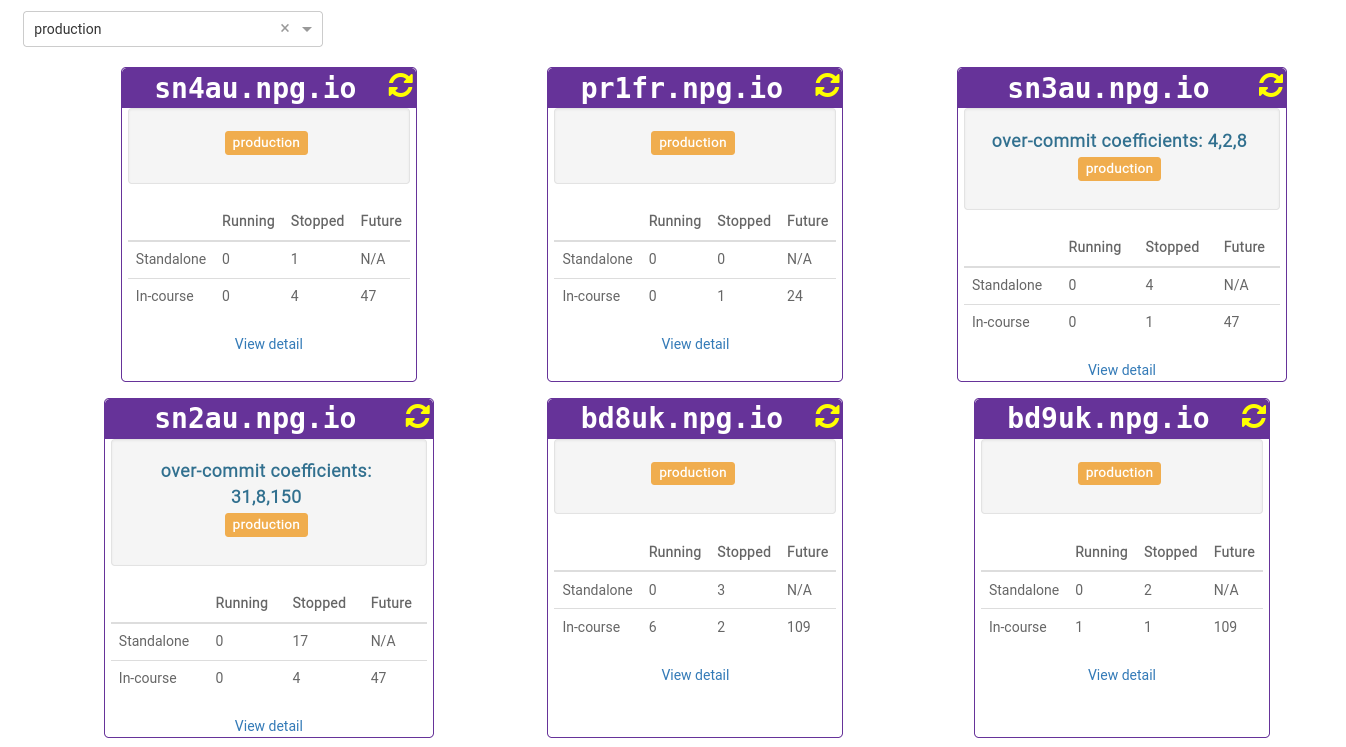
The server list also indicates which servers are currently utilizing over-committed coefficients. This visibility is beneficial for removing these settings once a course concludes, allowing the coefficients to be reset to their default values.
All modifications should be treated as a temporary mitigation rather than a permanent solution to resource scarcity. Adjustments made to facilitate the continuation or completion of a course must be reversed once the course ends.
DaDesktop On-premise Requirements
The over-committing capability is enabled by tpapi, an integral component of the DaDesktop codebase. As tpapi is currently compatible only with Python 3.12, the corresponding operating system must be at least Ubuntu 23.10.