Administration of Operating System Templates
OS Template Naming Standards
Template names must strictly utilize lowercase letters and hyphens.
Adhering to this convention is essential to ensure the application accurately classifies and orders templates.
<os>
Avoid using hyphens in the <os> segment
<key><number>
Examples:
centos8
debian12
win10
ubuntu2404
ubuntu2204
<template>
<os>-template-v<number>
Examples:
debian12-template-v21
ubuntu2204-template-v17
kali-template-v2
<dd4w>
dd4w-tpl-lxc-<os>-v<number>
dd4w-tpl-kvm-<os>-v<number>
Examples:
Must begin with 'dd4w-'
Examples:
dd4w-tpl-kvm-win10-v5
dd4w-tpl-lxc-ubuntu2204-v2
Distribution
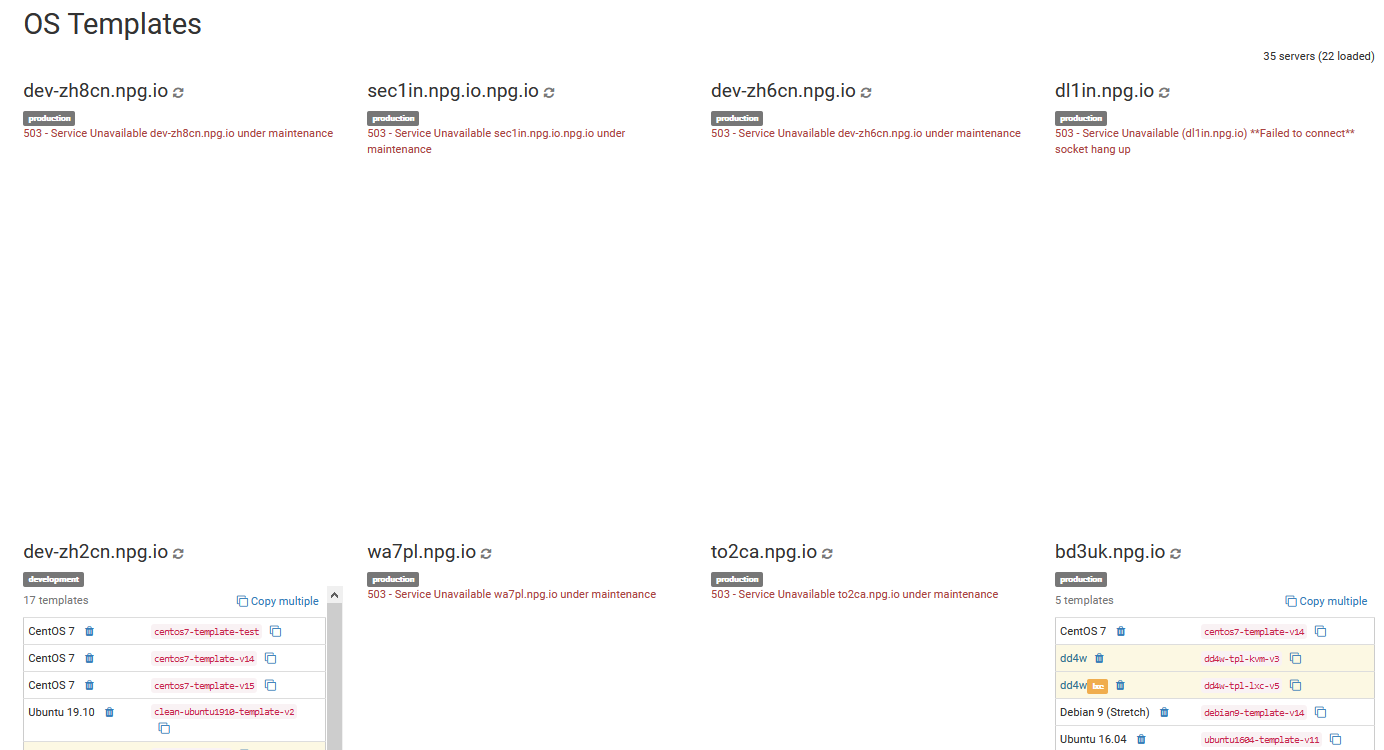
In this section, you can copy, delete, or compare the OS templates available in your cloud environment. Please note that transferring multiple templates may affect your server's network performance and user experience. It is recommended to schedule copy operations outside of peak working hours.
Bulk Removal of OS Templates
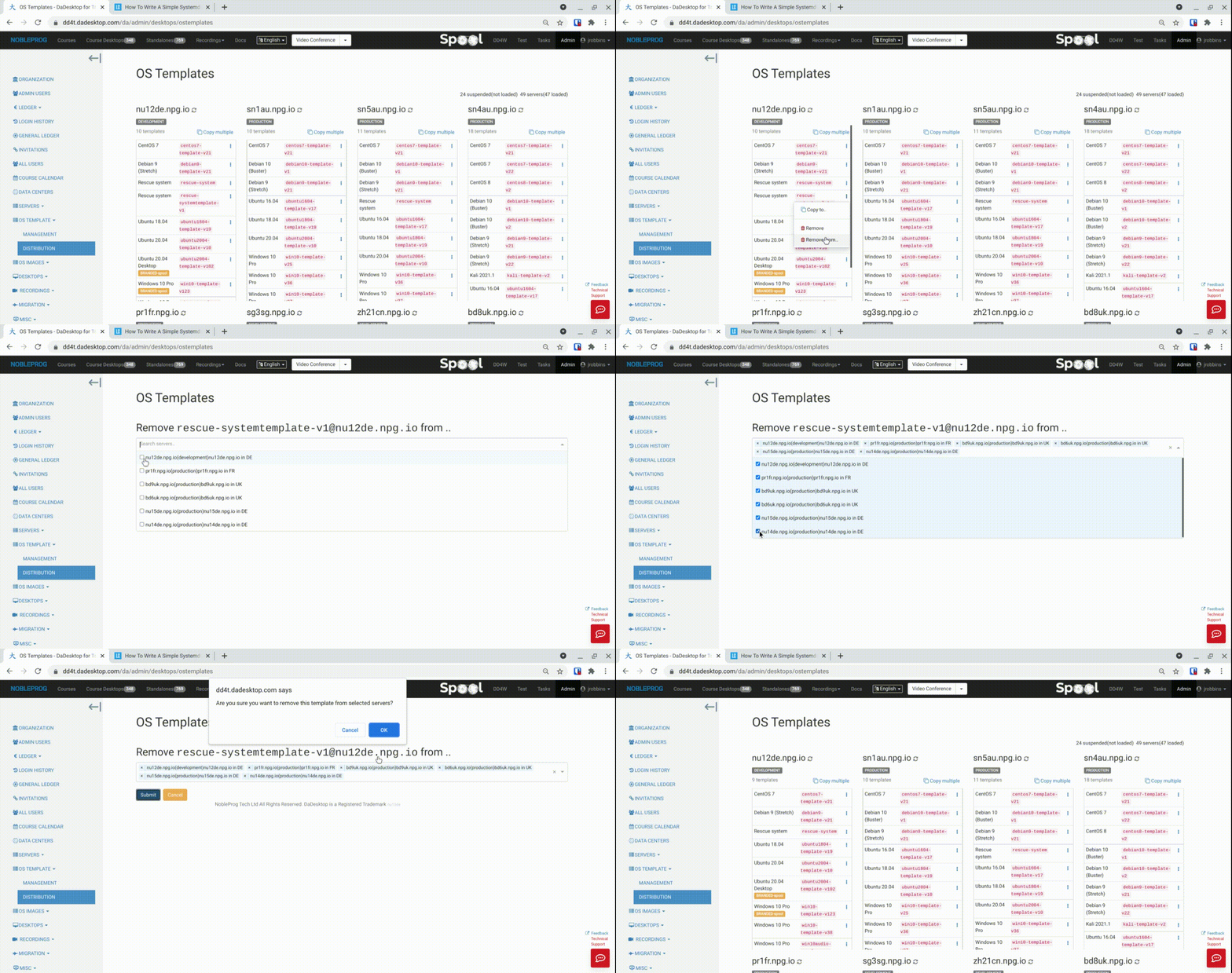
A newly introduced feature allows for the bulk deletion of templates across multiple servers simultaneously. This process, which was previously manual and time-consuming, is now swift and straightforward.
- Select a server containing the desired template and choose 'Remove from .. ' (the 'Remove' option is designed for deleting a single template at a time)
- A list displaying only the servers that contain this specific template will appear
- Select the servers from which you intend to delete the template
-
Click 'Submit' and confirm the action to delete the templates