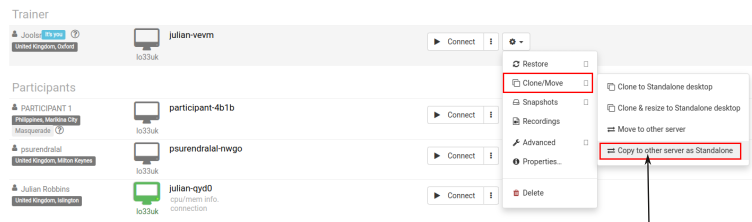
Once your preparation is complete, begin by "Stopping" the standalone desktop. Next, access the action menu and choose "Copy to other server"
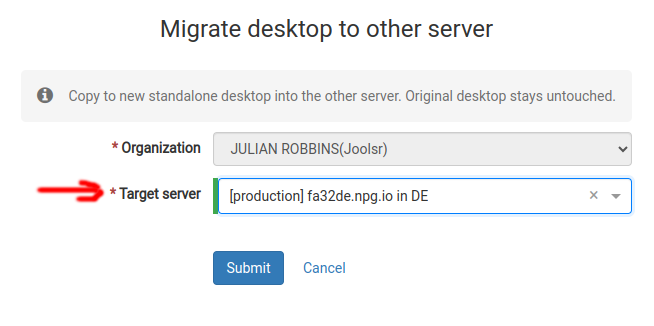
Choose the "Target server" where you wish to move the desktop. Please note that if the destination server is geographically distant, you may receive a warning indicating this. Upon completion, a new Standalone instance will be created with identical content but under a different name and location