Multi-region support
Once the Trainer has finalized the standalone setup, the process for extending this environment across multiple regions can begin.
-
The Trainer initiates the action by selecting the "clone to another server" option from the menu.
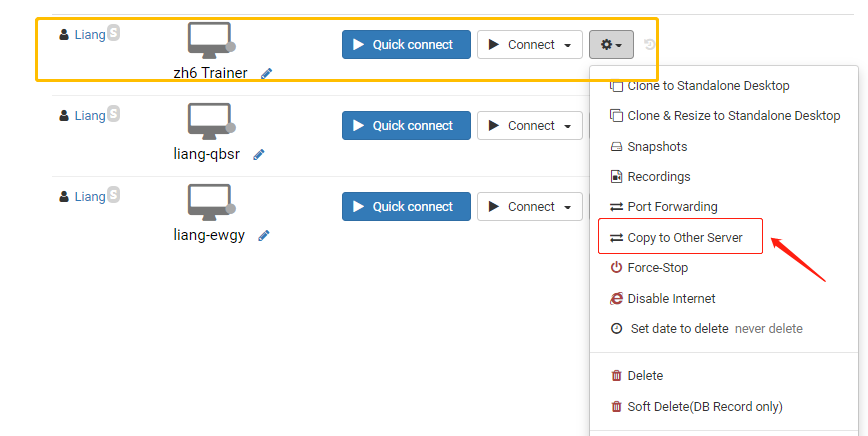
-
To ensure optimal performance and rapid connections, the appropriate server delegates are selected for this deployment.
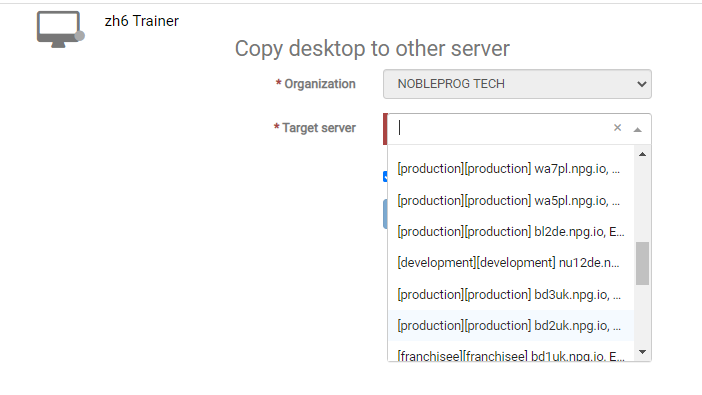
-
Returning to the course Desktops section, the action is set to "clone from standalone" to replicate the configuration on the designated servers.
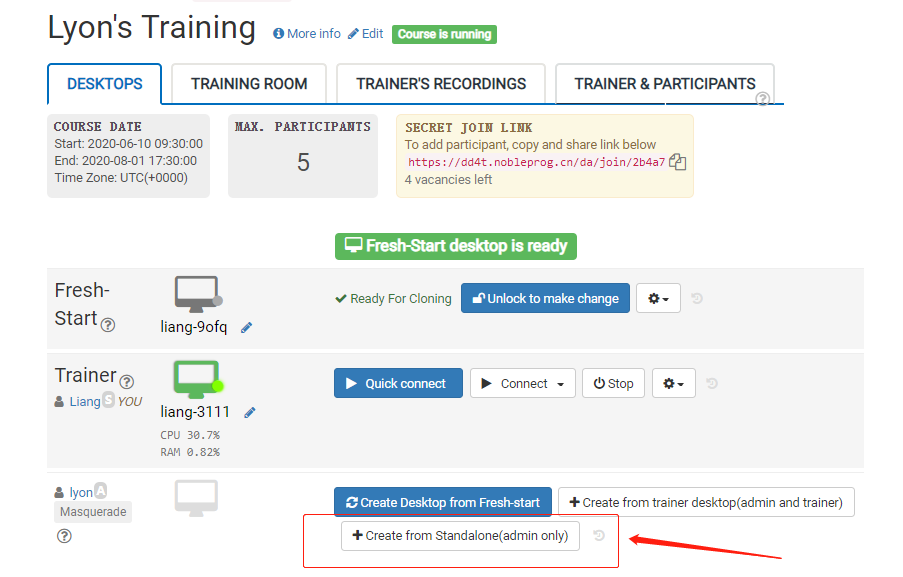
- As a result, delegates can access the DaDesktop (Virtual Machine) through the connection that offers the lowest latency from their specific geographic locations.