Remote Replica
Remote Replica is engineered to mirror, or clone, your Fresh Start Desktop onto a separate server, typically located in a distinct geographical area. Once configured, any modifications made to your primary machine are seamlessly and automatically synchronized to the replica in the background, requiring no further user intervention.
This is a highly valuable feature that supports various use cases, two of which are outlined below.
Note: Remote Replica is currently available exclusively for Fresh Start machines, though it can also be utilized within DaDesktop for Work (DD4W).
Firstly: Create a Remote Replica (clone) of your Desktop on a server in a different data centre
As a form of insurance, you might consider establishing a Remote Replica on a server in a different data centre. This ensures that should your primary server become unavailable for any reason, you can seamlessly transition to the replica copy and resume work exactly where you left off.
Initially, our Fresh Start machine is hosted in the UK Data Center, for example, on node bd3uk.
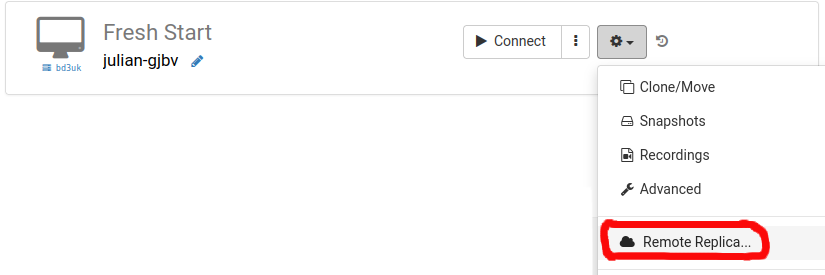
Proceed by selecting the Data Centre you wish to use for the Remote Replica. Ideally, this should differ from your existing machine's location; you may opt for a different data centre or even a different country.
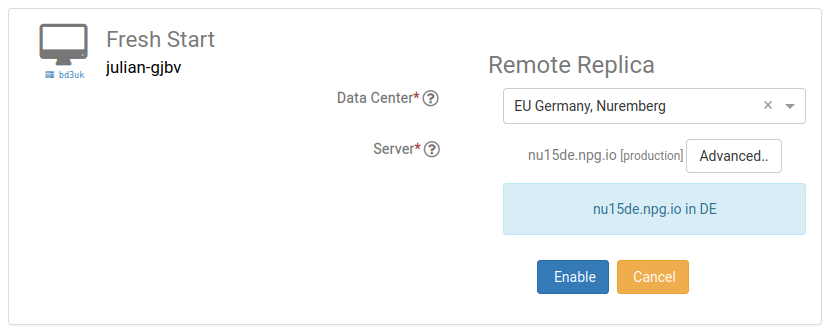
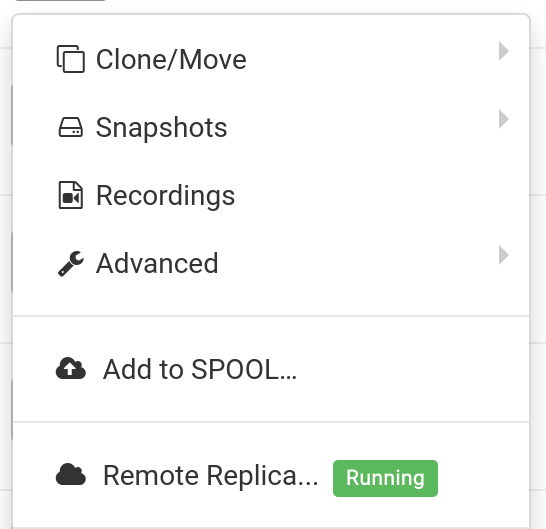
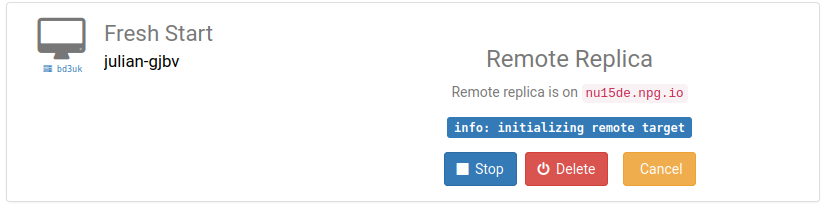
Once initiated, the Remote Replica desktop begins to be created. The duration of this process depends on the physical distance of the replica and the size of the Desktop. You are free to continue working on your original machine in the meantime.
Restoring Remote Replica
Should you find yourself unable to access your Fresh Start Desktop for any reason, you have the option to Restore the previously set-up Remote Replica.
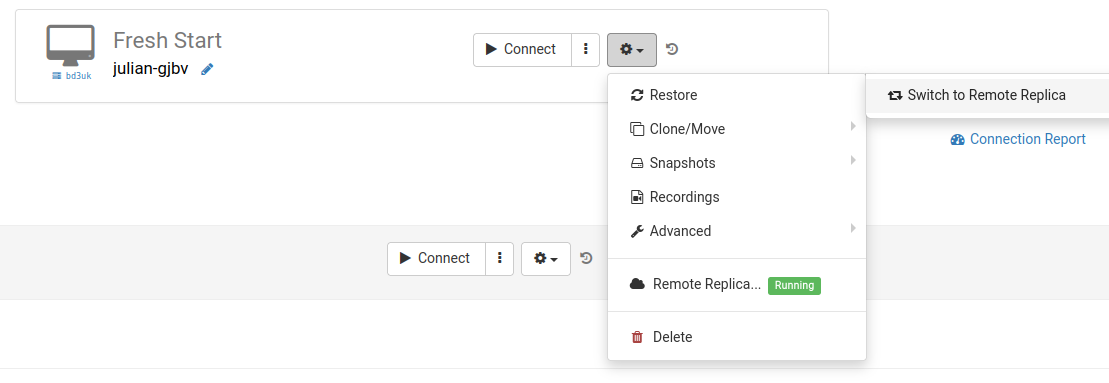
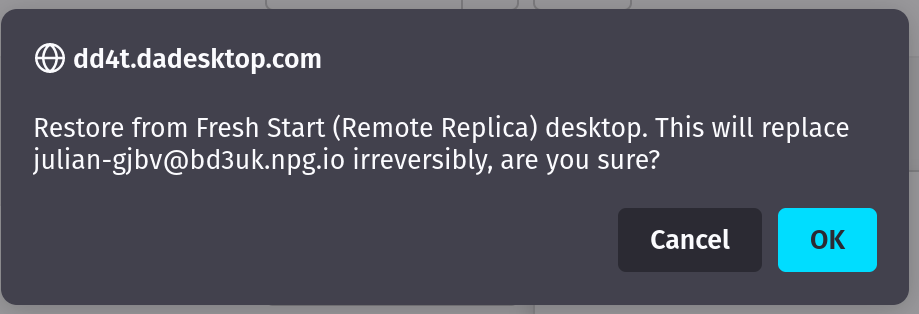
Once you switch to the Remote Replica, you cannot revert to the original Desktop. This is not a significant concern, as the replica is an exact clone of the original.
However, please note that once you switch to your Remote Replica Desktop, the replication process stops. If you wish to establish another replica in the future, you will need to repeat the initial setup steps outlined above to configure a new Replica Desktop.

Second scenario: Use Replica for FreshStart in different geographical region to reduce connection latency
Remote Replica is particularly beneficial when you need a geographically closer copy of your Fresh Start machine while developing course content. For instance, if a trainer is based in Germany but the course is hosted in South Africa, this feature is ideal. Such scenarios are common with DaDesktop, as the system facilitates the management of such cross-border training environments.
In this situation, it is advisable not to create the course Fresh Start Desktop on a South African server, as the connection latency would be excessive. Instead, you should create a Remote Replica of your Desktop in Europe to minimize latency. The Replica will automatically synchronize with any changes you make.
Upon completing your work on the Fresh Start Desktop, you can restore the Remote Replica to the Trainer machine located in South Africa, enabling rapid data transfer to the Trainer and Participants.