Desktop Snapshots
Utilizing Desktop Snapshots
The Snapshots feature enables you to create a 'backup' of your virtual machine, allowing for convenient restoration when needed.
For instance, if you are performing an upgrade that poses a risk to system stability, you can pause your virtual machine and capture a snapshot prior to proceeding.
Should the upgrade proceed without issues, the snapshot may be removed; however, if problems arise, you can revert the machine to its previous state.
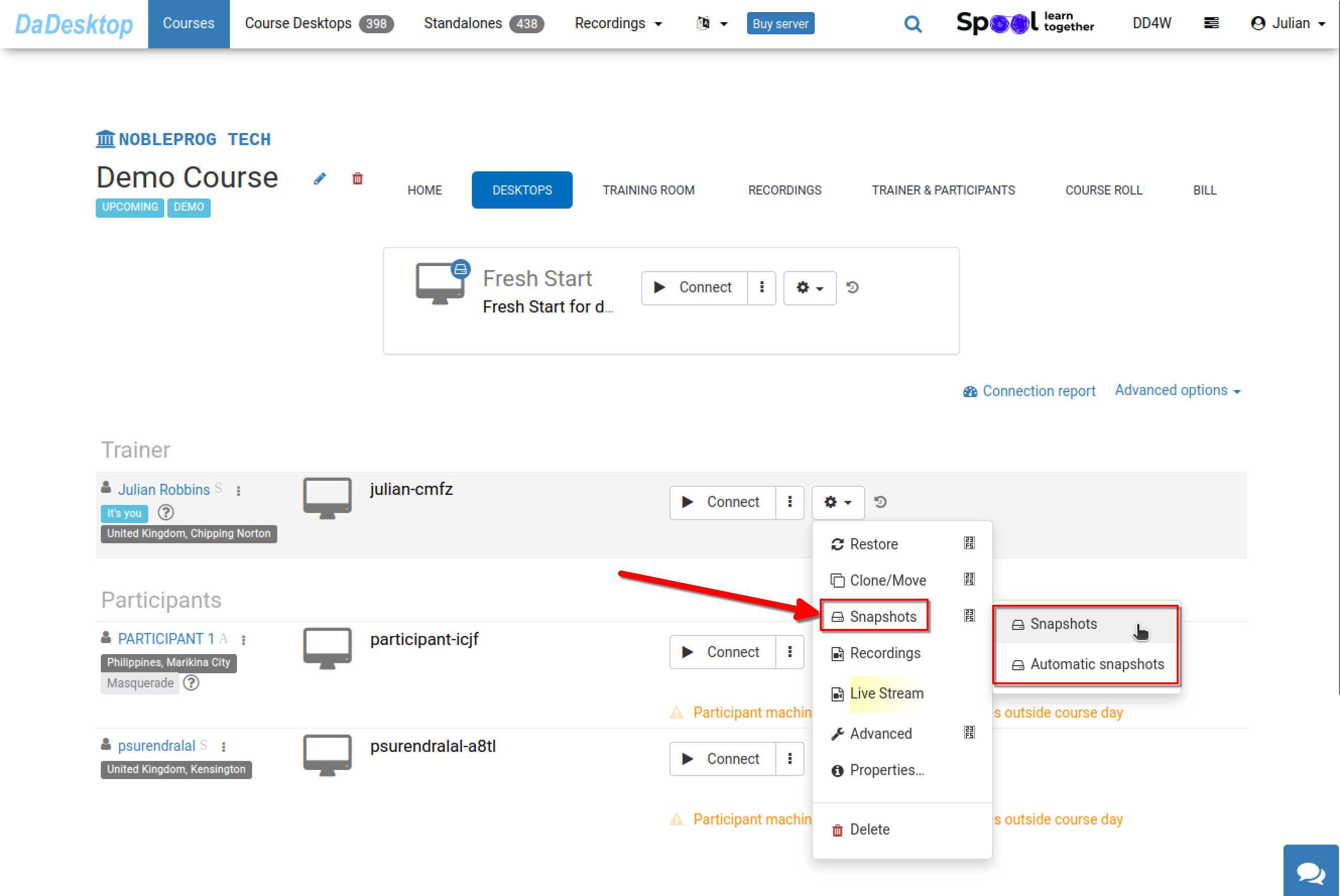
This functionality is accessible across all DaDesktop environments, including Fresh Start, Trainer, Participant, and Standalone configurations.
Please be aware that restoring a snapshot will power down the machine, preparing it for a subsequent restart.
Creating Snapshots
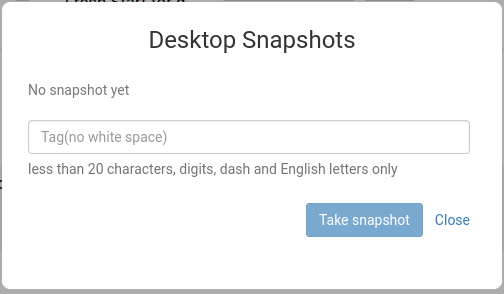
The image below illustrates the process of capturing a snapshot. It is recommended to assign a clear, descriptive name to each snapshot to accurately identify the specific state captured.
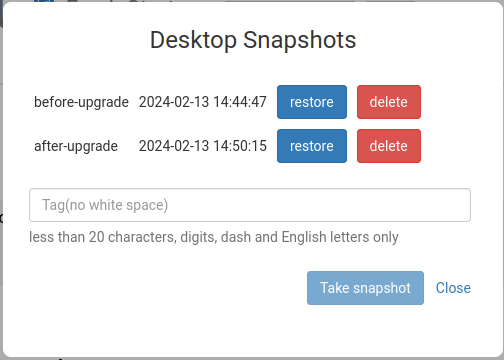
The following view demonstrates two snapshots captured at distinct points in time, which can be either restored or deleted as necessary.
Automatic Desktop Snapshots
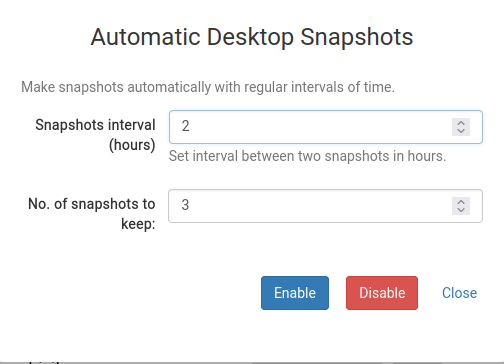
If you prefer a hands-off approach to ensure snapshots are not missed, leveraging Automatic Desktop Snapshots is highly effective.
Here, you can define the retention policy, specifying how many snapshots to keep and the interval at which new ones are generated.