My Account
Every user has access to a range of customizable settings within their profile.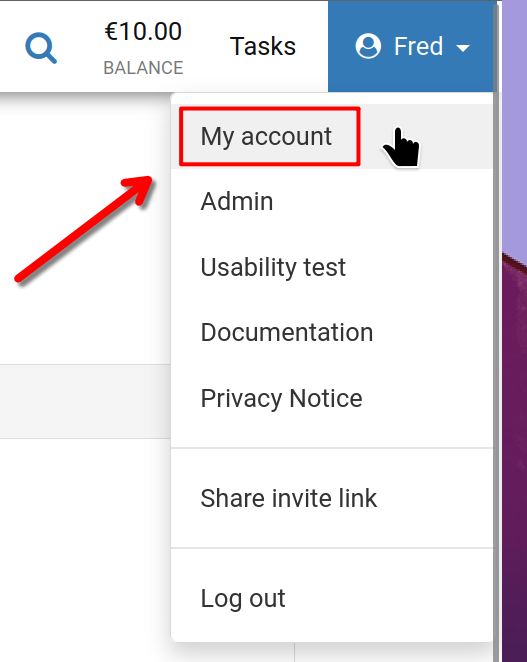
To begin, click on your username located in the top right corner of the screen, and then select 'My account' as illustrated.
My Account
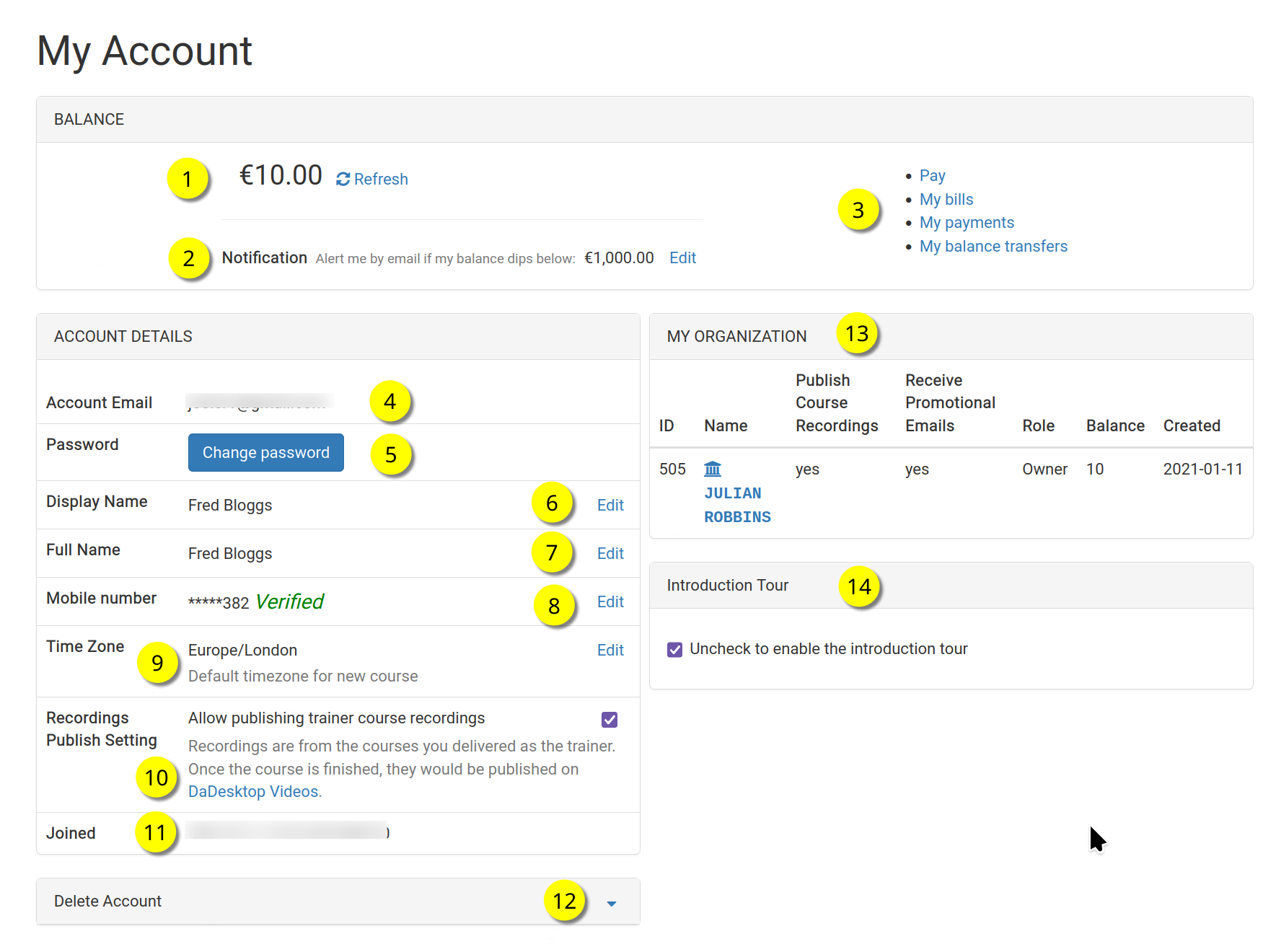
This is the 'My Account' dashboard.
Please refer to the numbered items below for a detailed description of each feature.
Key
| Description | ||
|---|---|---|
| 1 | Balance | Displays the user's current account balance |
| 2 | Notification | Enables an email alert when the balance falls below a specified threshold. Users can define this limit individually |
| 3 | Billing Links | This area contains links to Payment, Balance, Previous payments, and Balance transfers |
| 4 | Account Email | The email address is fixed and cannot be modified |
| 5 | Password | Allows users to update their password |
| 6 | Display Name | This is the name visible to others and can be updated as needed |
| 7 | Full Name | The user's legal full name, which can also be edited if necessary |
| 8 | Mobile Number | The mobile number can be updated as required |
| 9 | Timezone | Ensures that all timestamps are displayed in the user's local timezone |
| 10 | Recordings Publishing Setting | For users with a Trainer role, this setting determines whether Course recordings from the Trainer's device are published on the dadesktop.com/videos site |
| 11 | Joined | The date the user registered with DaDesktop |
| 12 | Delete Account | If a user wishes to remove their dadesktop account, they can click here. All associated user data will be deleted |
| 13 | My Organisation | Users may optionally add an Organisation to their profile. This section displays details of the user's organization |
| 14 | Introduction Tour | The introductory tour can be reactivated, if desired, by unchecking this box. This will cause the tour guide to appear again |