Retain Desktop Access Post-Course
DaDesktop offers a valuable feature that allows participants to seamlessly transition from course completion to independent practice. Before the course concludes, attendees receive an email inquiry asking if they would like to retain access to their virtual environment for continued hands-on learning.
Typically, course-specific desktop environments are decommissioned shortly after a session ends. However, if you intend to continue practicing the labs covered in your training, you can convert your existing environment into a 'Standalone Desktop.' This option ensures that your workspace remains available for future use.
To proceed, navigate to your Course and Desktop dashboard, then select the 'Use desktop after course' option located beside your machine.
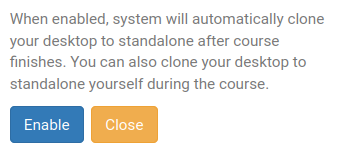
Following this selection, DaDesktop will outline the simple steps required and present an option to 'Enable' this feature.
Once activated, a confirmation status will appear next to your course machine, indicating that the extension has been granted.

After the course ends, you can access your Standalone environment by clicking the Standalones menu at the top of the screen. Please note that unused Standalone machines are automatically removed after one month of inactivity. To prevent unexpected loss, advance warning emails are sent to users who may wish to retain their environments.
For more detailed information on managing the retention and scheduling of your Standalone machine, please refer to this page.